9x16 Aspect Ratio: Pixel Sizes and a Free 9:16 Cropper
Short answer: 9x16 (9:16) is a tall vertical frame, and the standard size is 1080×1920 pixels – the size Instagram Reels, TikTok, YouTube Shorts and Stories all use. Crop your photo to it below; the file never leaves your device. Updated 28 Oct 2026.
What is 9x16?
9x16 means the picture is 9 units wide for every 16 units tall – a phone held upright. Divide any width by 9 and multiply by 16 to get the height: 1080 wide gives 1080 ÷ 9 × 16 = 1920 tall. It is the frame of full-screen vertical video, so it is what a Reel, a TikTok, a Short or a Story fills edge to edge. If you are planning a vertical ad, see our ad examples by category, the skincare ads that keep running, and the Black Friday ad copy and Christmas Facebook ads lists – our own ads are made in 9:16.
How It Works in 3 Easy Steps
No app to install. Everything runs in your mobile browser.
Choose your photo
Pick a JPG, PNG or WebP from your phone or computer, or drop it onto the box.
Frame it
Drag the picture inside the 9:16 frame and use Zoom to decide what stays in.
Download
Pick 1080×1920, 720×1280 or 1440×2560 and download a PNG or JPG that is exactly 9:16.
Which platforms use 9:16?
Instagram Reels and Stories, TikTok, YouTube Shorts and the Facebook Reels and Stories placements are all full-screen vertical formats, and all of them recommend 1080×1920 at 9:16. A photo or video in another ratio is not rejected – the app letterboxes it with bars or crops it – but a true 9:16 file fills the screen with nothing cut off. Platform specs change, so check the current help page before a big campaign.
Keep text inside the safe area
Buttons, captions and the account name sit on top of the picture, so text and logos placed at the very top or bottom can be covered. As a rule of thumb, keep the key words and the product away from roughly the top 250 px and the bottom 340 px of a 1080×1920 frame (Meta's guidance for Stories ads). Put the hook and the product in the middle band.
Crop, do not stretch
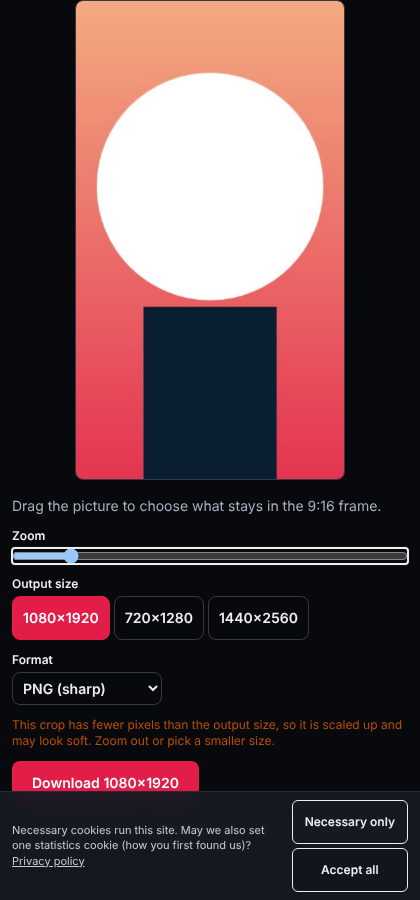
Changing a 16:9 or 4:5 photo to 9:16 by pulling the edges distorts faces and products. Cropping keeps shapes true: this tool cuts a 9:16 window out of your picture, and you choose which part with the drag and zoom. If the photo is landscape, only a narrow strip will fit – for a product shot, shoot or choose a photo with space above and below the product. We tested it on 2026-10-28 with a 1600×1000 landscape picture on a phone-width screen: at zoom 1.4 the download came out exactly 1080 × 1920 px.
How to calculate other 9:16 sizes

Any size where height = width × 16 ÷ 9 is 9:16. Width 600 gives 1067 (rounded), width 750 gives 1333. Use whole numbers that divide by 9 – 540, 720, 810, 1080, 1440 – for exact pixels with no rounding.
Make a 9:16 video ad from your product photo
Our ad-maker builds 15-second vertical 9:16 product videos from one photo. It is opening soon; the ad examples show the structures that keep running in the Meta Ad Library.
Related Guides & Tutorials
Frequently Asked Questions
Everything you need to know before generating your video.
What is 9x16 in pixels?▼
The standard is 1080 × 1920 pixels. Smaller 9:16 sizes are 720 × 1280 and 540 × 960; larger ones are 1440 × 2560 and 2160 × 3840.
Is 9x16 the same as 9:16?▼
Yes. 9x16, 9:16 and 9 by 16 all describe a frame 9 wide and 16 tall.
Is 16:9 the same as 9:16?▼
They are the same shape turned 90 degrees: 16:9 is wide (landscape, like a TV), 9:16 is tall (portrait, like a phone held upright).
Is my photo uploaded when I crop it?▼
No. The crop runs in your browser with the canvas API. Nothing is sent to a server and the image is gone when you close the page.
Why does my cropped image look soft?▼
If the part of the picture you kept has fewer pixels than the output size, it is scaled up. Zoom out, pick a smaller output size or start from a higher-resolution photo.
Can I use the result for an Instagram Reel or TikTok?▼
Yes, a 1080 × 1920 PNG or JPG fits Reels, TikTok, Shorts and Stories as a cover, a still post or a frame in your video editor.
Need help with your video or have questions?
If a generation fails, credits are returned automatically. For any questions, contact us at support@adexamples.io.